 Daypages
A calendar you turn like a paper page.
Swipe, and tomorrow turns over like real paper. Calm, offline, and quietly beautiful. The planner you'll actually want to open.

 Free for 3 days, then €3.99 once. No subscription, ever.
Everything a day needs.
Nothing it doesn't.
The signature page-turn, a diary you keep, and the calm to actually enjoy planning.
Turn the page on your day
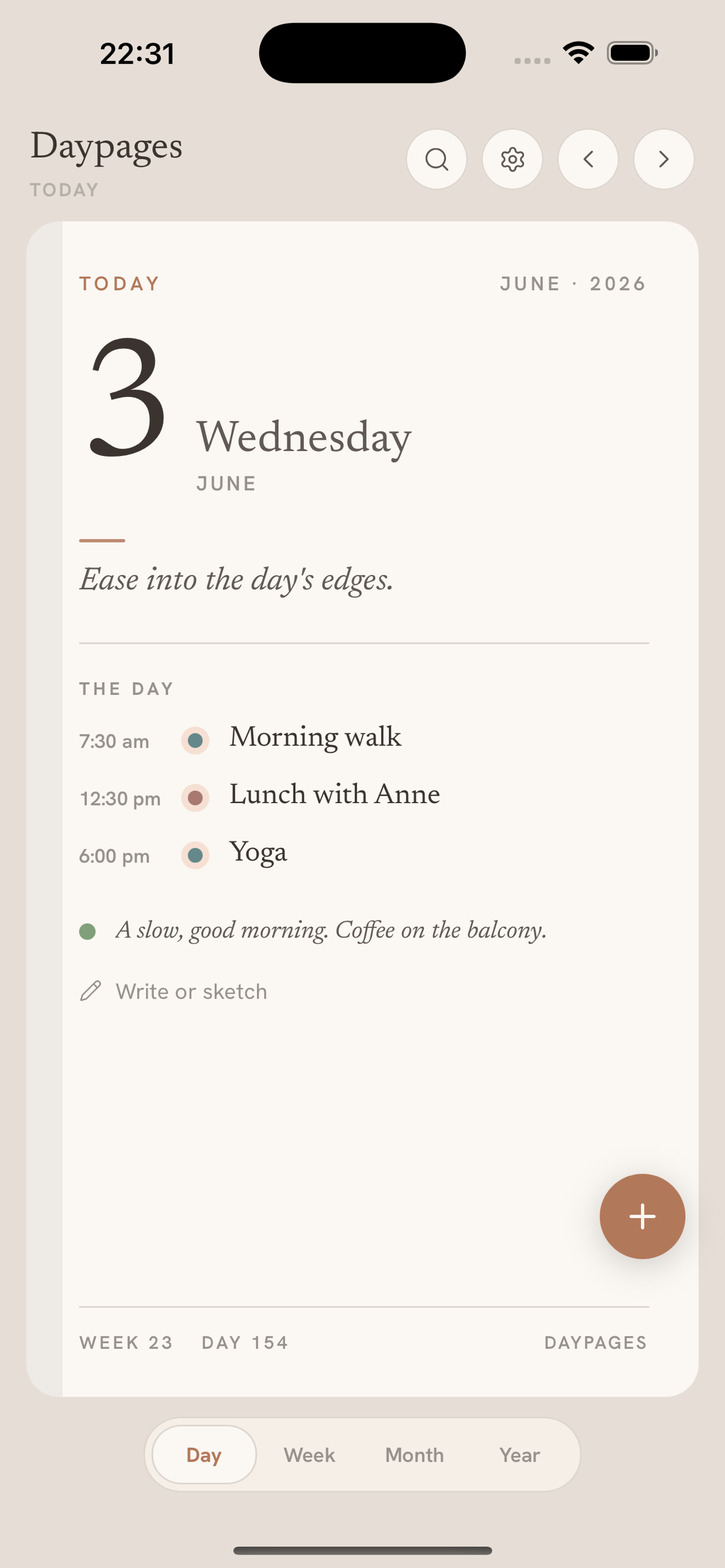
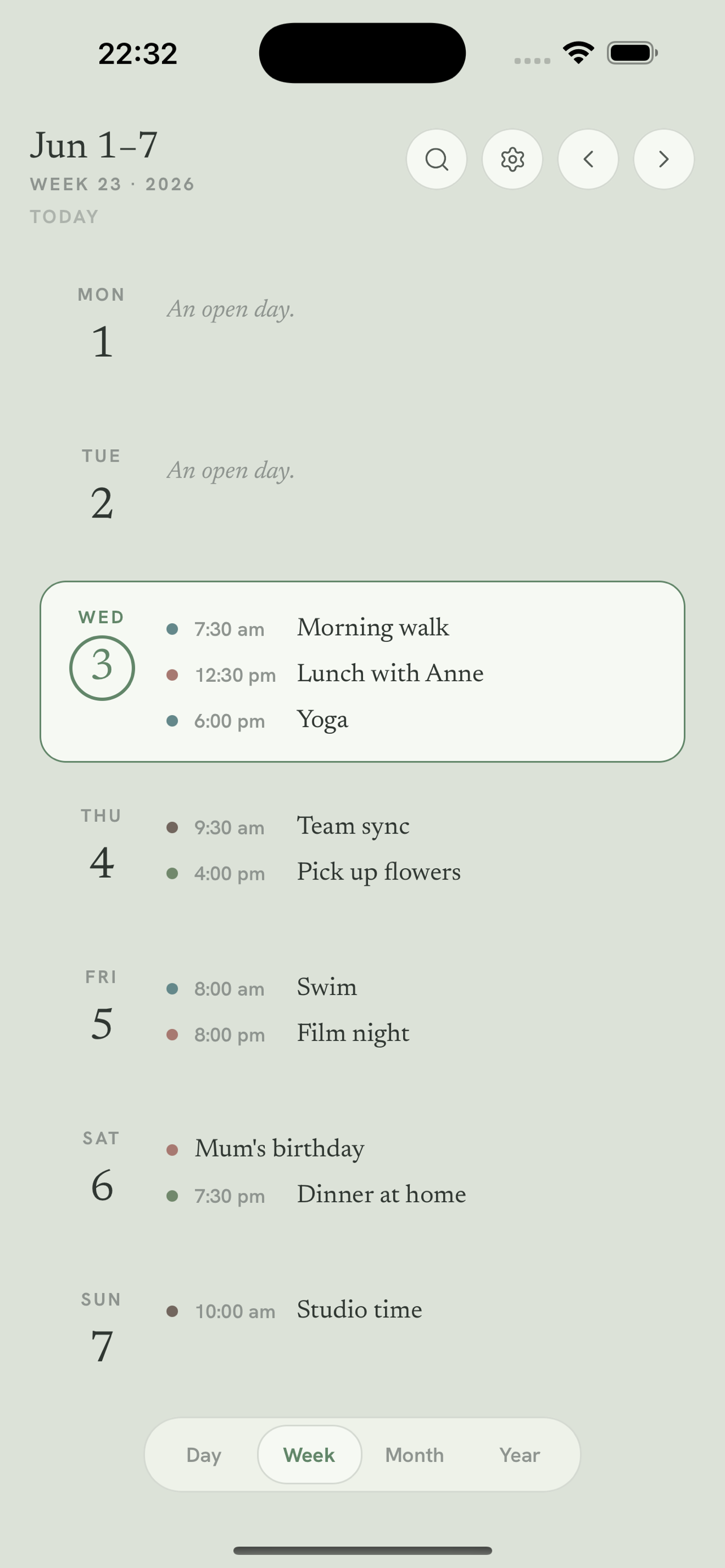
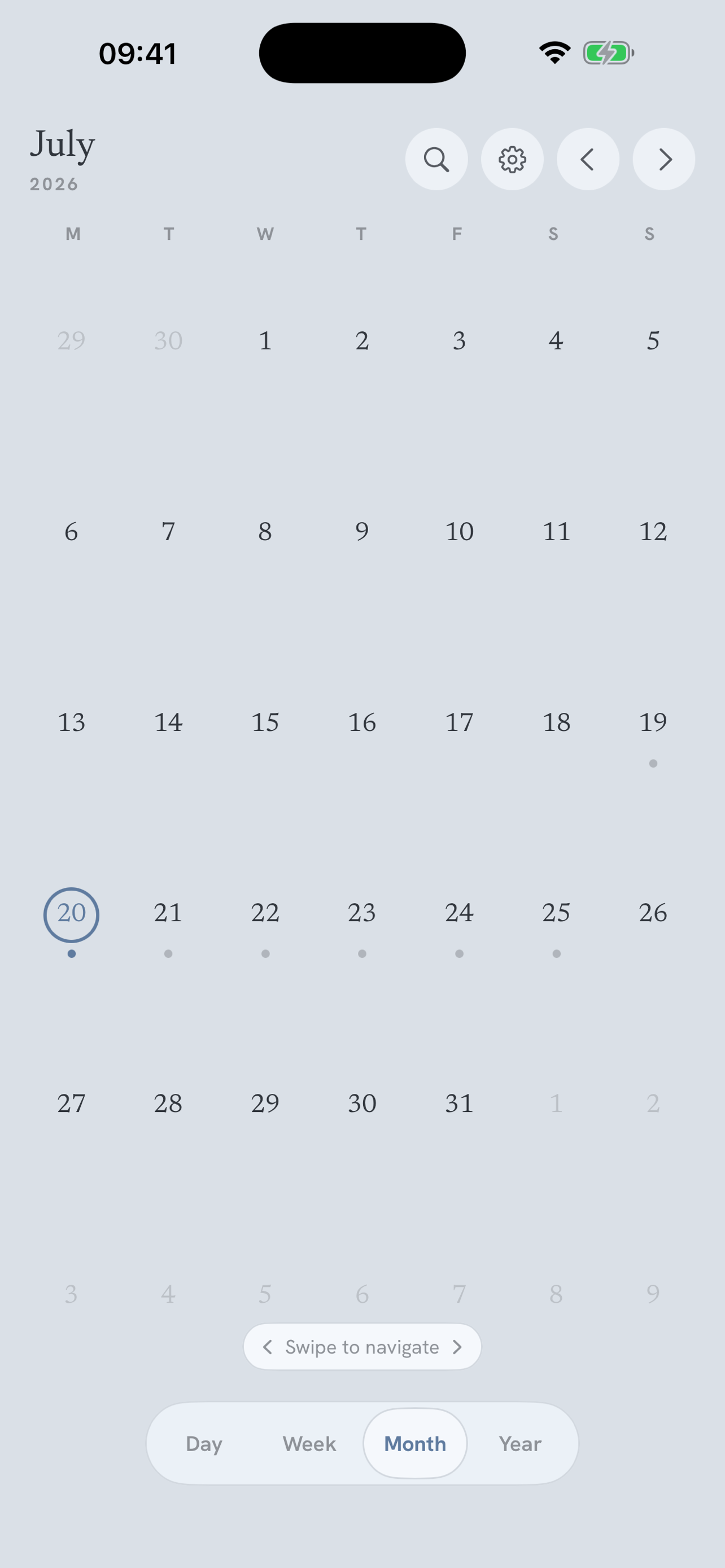
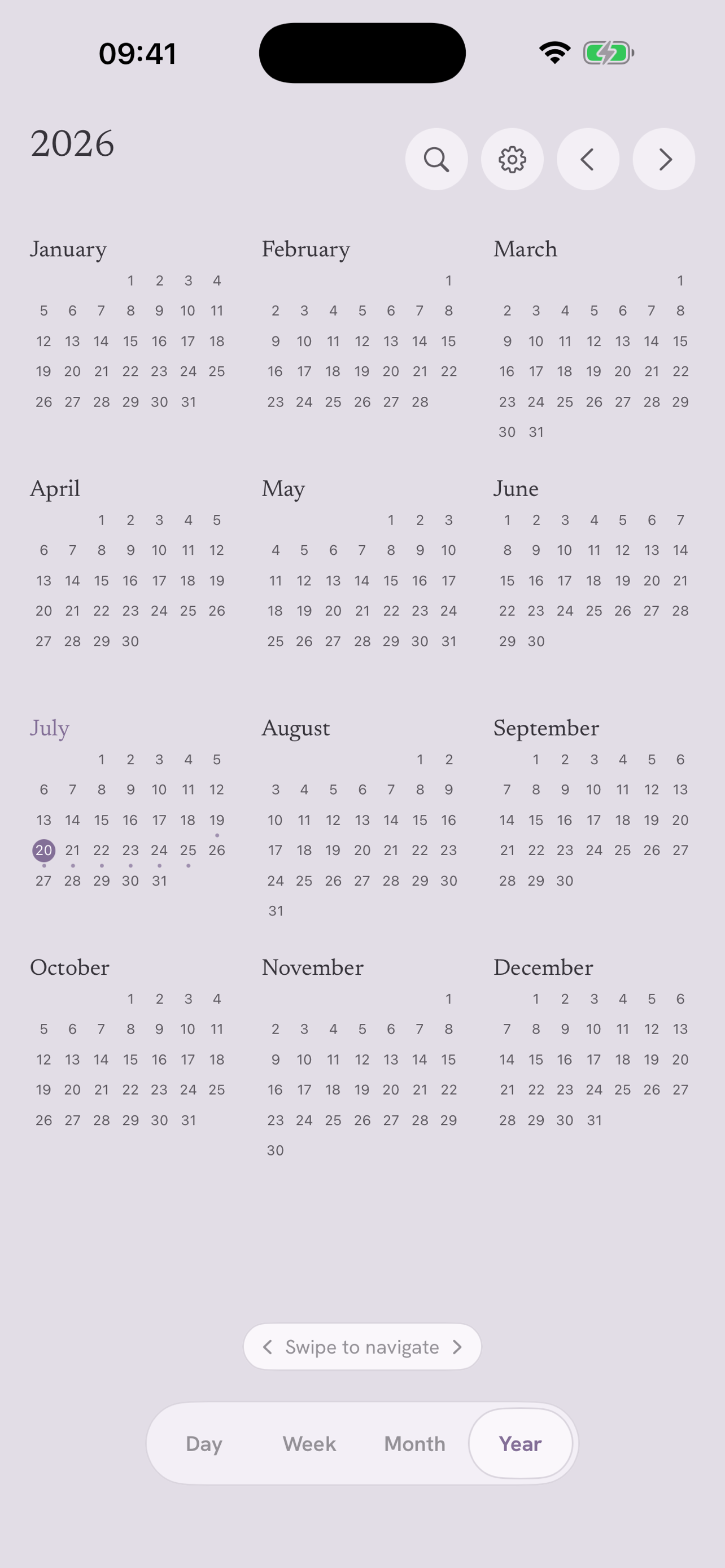
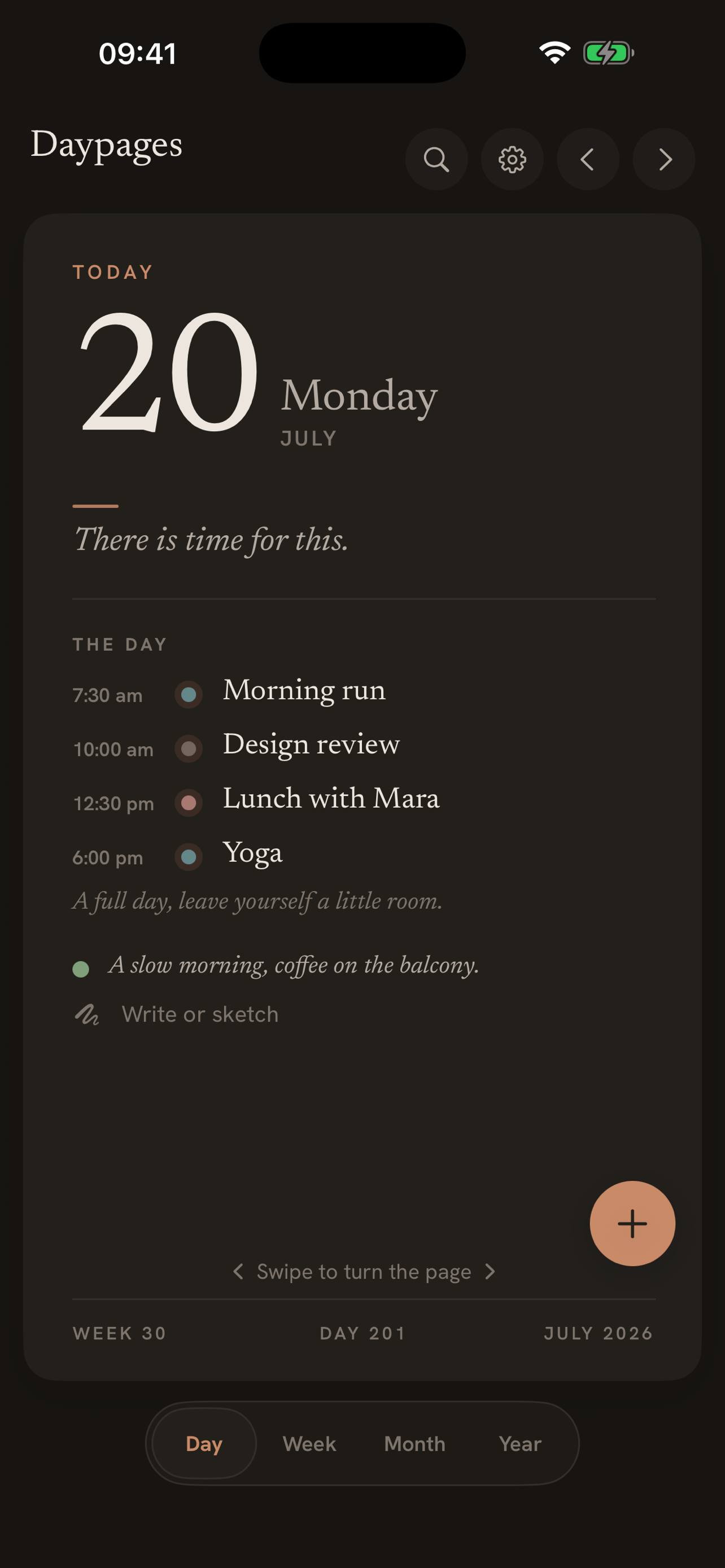
Swipe between days and the page turns like real paper, at 120fps. The week turns the same way, and a pinch zooms the month into a two-week planner. Day, week, month, year, all clutter-free.
A diary you keep, not a calendar you clear
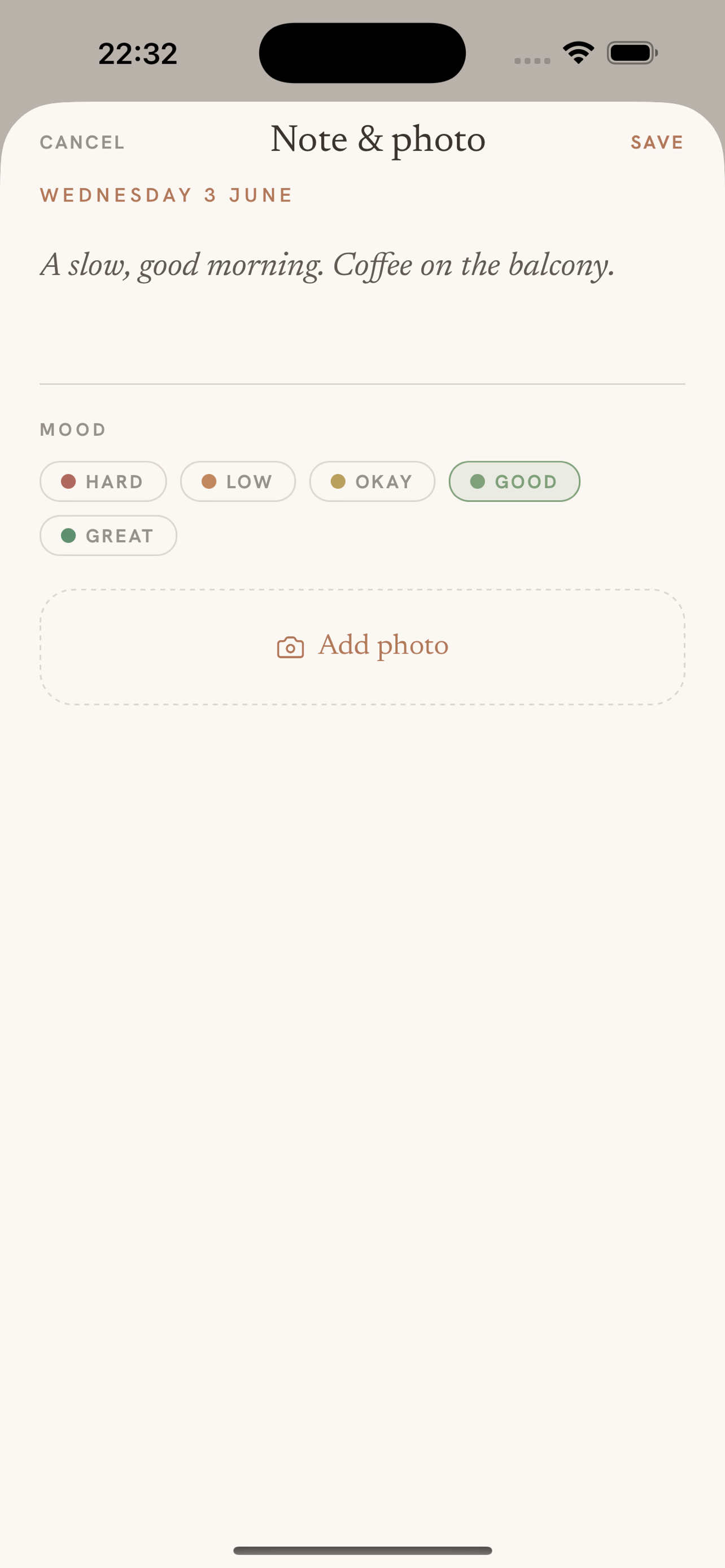
Add a note, a mood, a photo, or a handwritten sketch to any day. Months later, "on this day" brings the memory back. Your year quietly becomes something worth keeping.
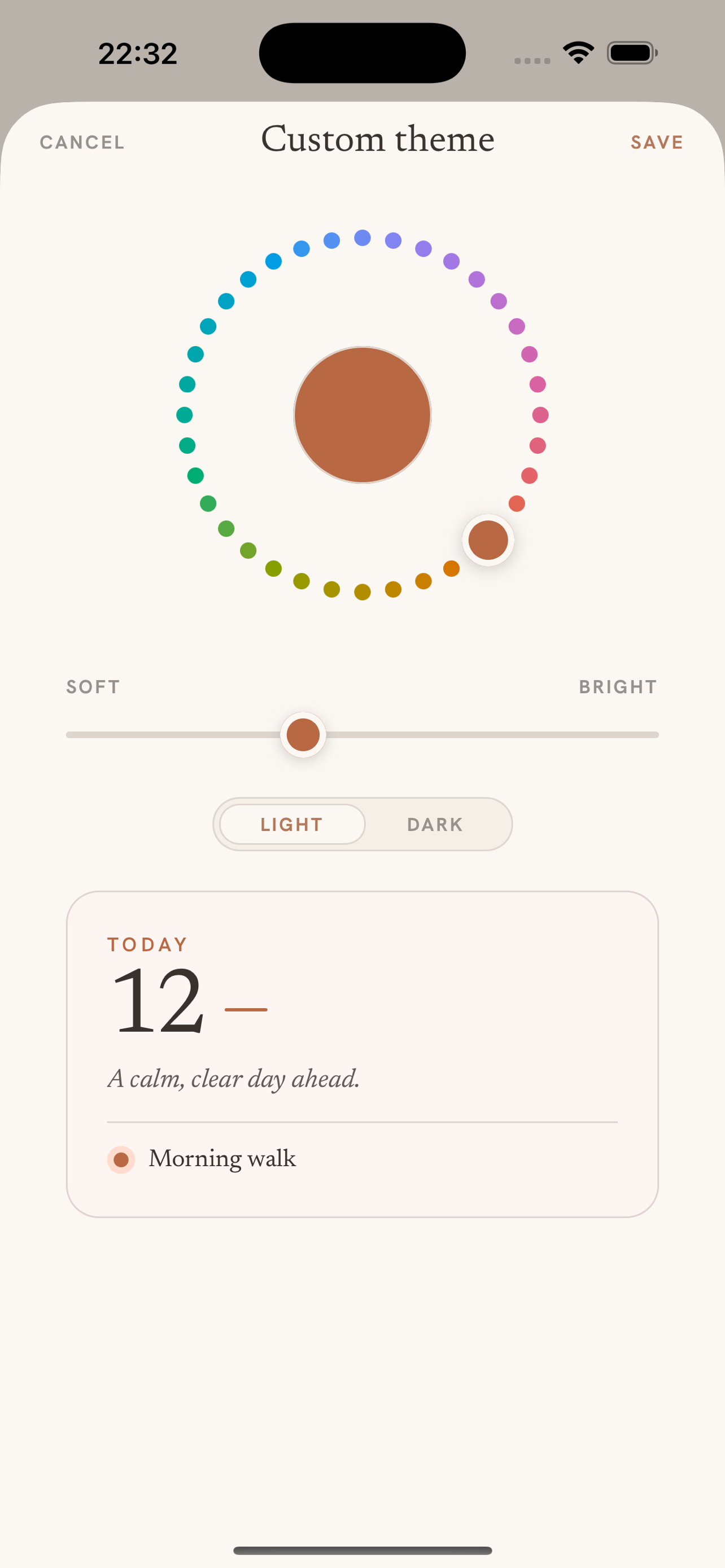
Five calm themes, plus your own colour
Choose a calm palette or dial your own hue on the colour wheel, and give work, family and health each a quiet colour. Apple Pencil handwriting on iPad, home-screen widgets, natural-language quick add, birthdays with a gift checklist, and reminders that respect your attention.
Every view, calm
The same quiet beauty from the day page to the year.
See it in action
One minute, every page. From today to the book of your year.
Calm by design.
Private by default.
No backend, no accounts, no cloud that isn't yours. Beautiful in the light, and just as calm in the dark.
Nothing leaves your device
No account, no analytics, no third-party trackers. What you write stays with you.
Your own iCloud
Optional sync flows through your private iCloud across your Apple devices. We never see it.
One calm payment
Three days free, then a single purchase, shared with your family. No subscription, ever.
The calendar you'll actually want to open.
Free for 3 days. Then €3.99, once. No subscription, ever.
Questions
Is Daypages a subscription?
No. Daypages is free for 3 days, then a single one-time purchase unlocks it for good. No subscription, ever, and one purchase is shared with your family.
Does Daypages work offline?
Yes. Daypages is offline-first. Your events, notes, photos and drawings live on your device and work with no connection. There's no account to create.
What data does Daypages collect?
None. No account, no analytics, no third-party trackers. Nothing you write or add leaves your device. Optional sync uses your own private iCloud.
Can I sync across my iPhone and iPad?
Yes. Optional sync uses Apple CloudKit through your own private iCloud, so your days appear on all your Apple devices. Daypages never sees your data.
Does Daypages work with my existing calendars?
Yes. Turn on the device calendar connection and your existing appointments (Google, iCloud, Outlook, whatever your phone uses) appear alongside your Daypages days. You can also write events back to a calendar you share.
Which languages does Daypages speak?
Nine: English, Dutch, German, French, Spanish, Italian, Portuguese, Swedish and Norwegian. The daily line, the tour and every screen are fully translated.
Is Daypages available for Android?
Yes. Daypages is available on Google Play for Android phones and tablets, with the same calm page-turn, notes and themes as on iPhone and iPad.